APP
TimeSheet
働いた時間を、出社・退社ボタンでかんたんに記録・集計できるシンプルなタイムカードアプリ。
TimeSheet for iPhone/ iPad / iPod Touch
Notice: How to restore your purchase of “Remove ads”, when you upgrade TimeSheet -IS-.
You can restore your purchase information of the add-on by following operations.
It is no need to pay the additional cost for restoring.
- Tap “Settings” on the bottom of screen.
- Tap “Purchase Add-On”.
- Tap “Restore your purchase information” and input your Apple ID Password.
- The add-on is applied your environment again.(No charge)
Thank you for continuing to support TimeSheet -IS-
Your country’s App store link
Korea China USA Canada France Germany Spain Netherlands Italy Sweden Brazil
We have been chosen as recommended new app on the App Store(USA,Germany,Japan 2011/7)A simple yet functional timesheet
Available in:
Arabic, Dutch, Danish, German, English, Finnish, French, Greek, Hebrew, Hindi, Indonesian, Italian, Japanese, Korean, Malay, Norwegian, Polish, Portuguese, Romanian, Russian, Simplified Chinese, Spanish, Swedish, Thai, Traditional Chinese, Turkish, Vietnamese“TimeSheet is a simple application which easily records and keeps track of working hours”
Enabling at-a-glance summaries of working/overtime hours of each month with a simple click on your way in and out of work.Export TimeSheet via e-mail to manage working hours on your own pc or submit to work.
It is also convenient for part-time workers to figure out paychecks beforehand.
How to use TimeSheet
- Customize it by setting your own working hours and break times. (That’s it, and you’re ready to go!)
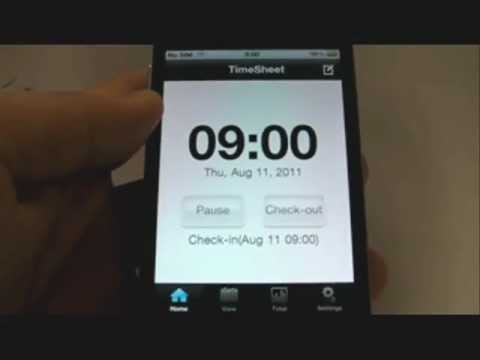
- Click on the “Check-in” and “Check-out” button everyday to record.
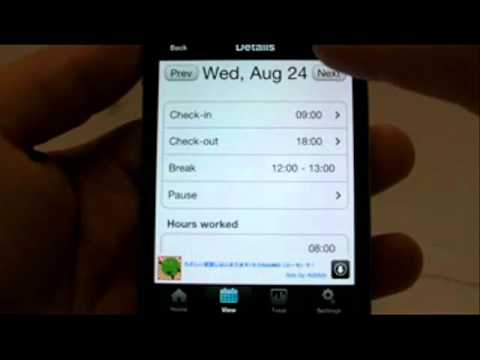
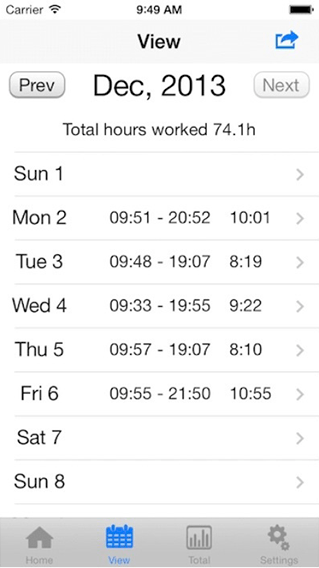
- Check your record on the “View” and “Total” screens.
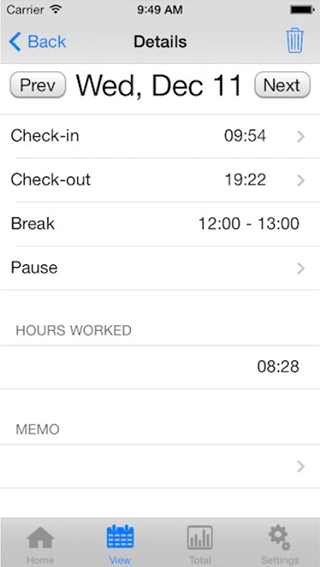
- You may edit check-in times on the “View” screen by choosing the date that you would like to fix.
List of Functions
- Recoding Time:Check-in/Checkout,Pause/Resume(You can also record breaks)
- Setting Regular Hours
- Recording Breaks: Set times by the minute ie.”1 hour lunch break”
- Calculating Total Hours
- Days worked
- Hours worked (Total/Average), Overtime (Total/Average) ,Salary(Total)
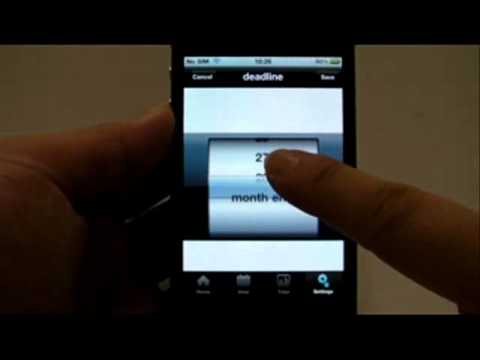
- Set deadline
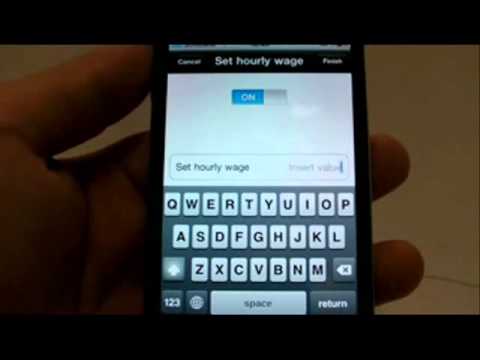
- Setting Hour Wages
- Memo
- For leaving notes such as”late due to traffic jam”etc.
- Export your data by the month(Comma Seperated Values)
Screenshots
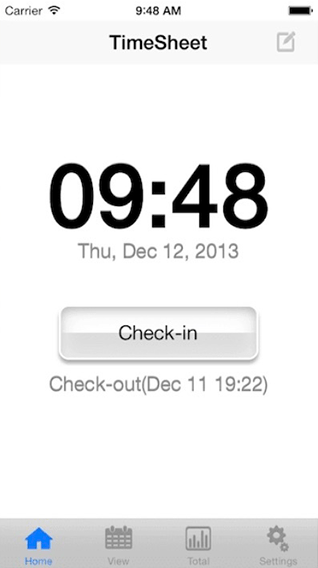
Support
Inquiries and requests regarding this application, please contact the following email address.
The following address is only available in Japanese and English. Please note.
support-app@digitalaccels.com
TimeSheet for iPhone/ iPad / iPod Touch
シンプルかつ高機能なタイムカード。 「TimeSheetは、働いている時間とその時刻を記録/集計するシンプルなアプリケーション。
App Store 注目の新作に選ばれました!(日本 、アメリカ、ドイツ 2011/7)
出勤時に出社ボタン/帰りに退社ボタンを押すだけで、月ごとの就業時間や残業時間が一目で分かります。
メールでエクスポートできるので、自分のPC上で勤務時間を管理したり、勤務先への報告にも使えます。
アルバイトやパート勤務の方には、給与の予測にも便利です。
- 言語: 英語、中国語、日本語、韓国語、イタリア語、オランダ語、スウェーデン語、スペイン語、ドイツ語、フランス語(フランス)、ポルトガル語(ブラジル)、ポルトガル語(ポルトガル)、ロシア語、マレー語、ベトナム語、フィンランド語、ノルウェー語、トルコ語、デンマーク語、タイ語、ギリシャ語、インドネシア語 、ヘブライ語、アラビア語、ヒンディー語、ポーランド語、ルーマニア語
- 条件:iPhone 及び iPod touch互換、iOS 13.0以上が必要
基本的な使い方
自分の勤務形態にあわせて、設定画面で定時・休憩時間を設定する。
(最初にすることはこれだけ!)
あとは毎日、出社ボタン/退社ボタンを押下して記録しましょう。
一覧画面/集計画面で、勤務状況を確認できます。
出社ボタンの押し間違いや修正は、一覧画面から変更したい日を選んで修正します。
機能一覧
- 打刻機能 出社/退社、中断/復帰(休憩時間も記録可能)
- 定時設定
- 休憩時間設定 「お昼休みは1時間」など、分単位で設定可能
- 集計機能
- 就業日数
- 就業時間(合計/平均)、残業時間(合計/平均)
- 締め日設定
- 時給設定 ※設定画面で、時給設定に金額を入力してください。
- メモ入力
- 「電車遅延」などのちょっとした出来事も記録できます。
- メール機能
- 月別のデータをメールで送信可能(カンマ区切りデータ)
スクリーンショット
このアプリケーションに関してのお問い合わせやご要望などは、以下のメールアドレス宛にご連絡ください。なお、下記問い合わせでは、日本語か英語でのみ対応させて頂いております。ご了承ください。
support-app@digitalaccels.com